Introduction to Alinea App: Phase One Training:
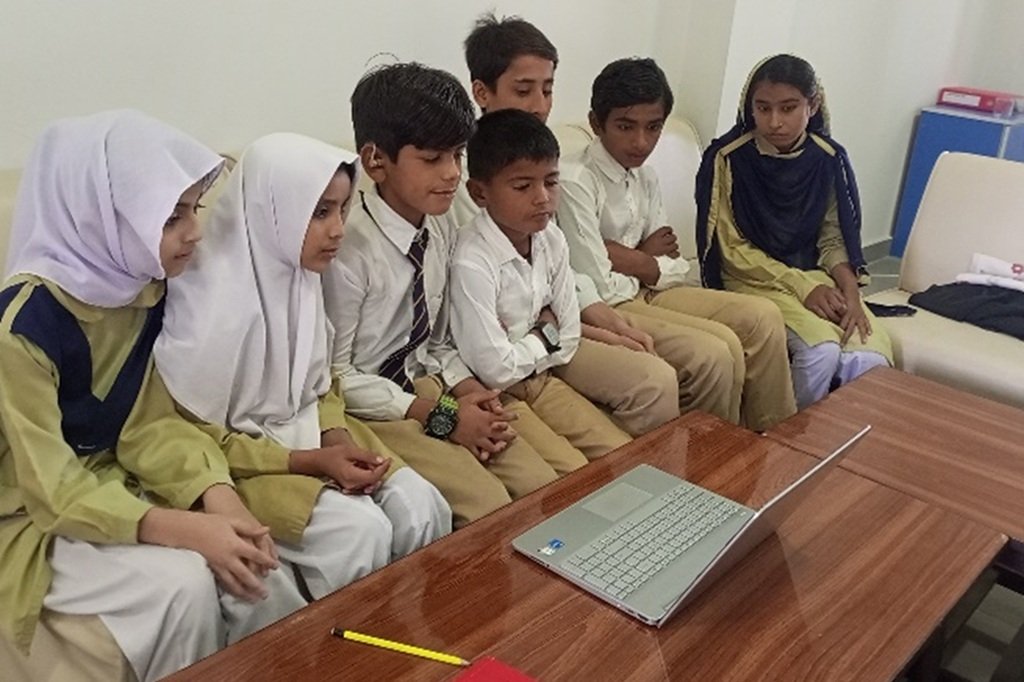
An orientation training session for Alinea, organized by Lexima, was held at Noor e Sehar Special School under the guidance of Ms. Aisha Kiran. The session began at 11:00 AM via the Zoom App. Six students, chosen from various classes who participated in the training.
The instruction was delivered in English by the trainer. During the session, the teacher thoroughly explained all necessary details and each function of the app to ensure that every student could confidently use it.
Training Purpose at School:
The training of students and teachers in the use of the Alinea app is intended to make literacy more accessible and to support more effective learning. By teaching everyone how to use the tools of Alinea, the school aims to reduce barriers in reading and writing, especially for those who find these tasks difficult. Ultimately, the goal is that all learners can engage more fully with textbooks, assignments, and class materials, and build confidence in their academic work.
Phased Training Plan:
The trainer explained that the orientation on Alinea will be implemented in two phases. In the first phase, only the most essential features of the app will be explained and demonstrated. Then, in the second phase, scheduled for the following week, the remaining features will be introduced and discussed in full detail.
Phase:1
Introduction
In the orientation session, the trainer began by presenting Alinea, a literacy support app developed by Lexima. She explained the login process, guiding students on how to sign in using their username and password. Following that, the trainer delivered a full introduction to the Alinea app, highlighting its benefits, explaining how it works, and detailing its key features.
- About the Alinea App:
Alinea (from Lexima) is an assistive reading-and-writing software tool designed to help users improve reading speed, accuracy, comprehension, and writing skills.
2: Features of Alinea:
Below are the key features of Alinea that make it useful as an educational tool:
- Text-to-speech / Read aloud: Alinea can read digital texts, PDFs, web pages, or scanned images aloud, allowing users to listen while following along.
- Features of Alinea supports reading in many languages (for example: Arabic, English, Turkish, German, French, Italian, Dutch, Polish, Portuguese, Spanish) in its online/web version.
- The app is available for Android and supports taking pictures of printed text (books, handouts, articles).
- Adjustable voice settings: choose voice, accent / region, reading speed, pitch
- Double highlighting: current sentence and current word highlighted differently during reading.
- Speech recognition / dictation: speak and convert into text in different languages.
- Import / export and cloud support: work with PDFs, Word, images; sync with cloud services
- Word prediction & spelling assistance and suggestions while typing, correcting the words.
- Homophones lookup (words that sound the same)
Question & Answer Session:
There was a question-and-answer session during which both teachers and students asked various questions about how to use the app effectively.